Credit Card Surcharge
Overview
The Credit Card Surcharge function allows you to add an additional surcharge for payments made via credit card.
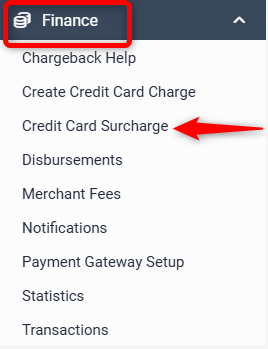
Go to Finance > Credit Card Surcharge
You will see each of the card types accepted at your property listed and you can manually set the percentage surcharge that each card will attract.
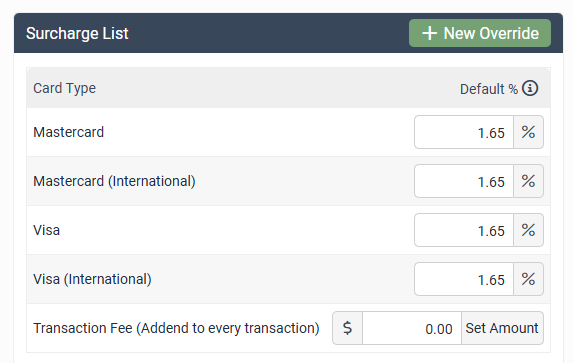
Simply input the percentage required and click Update.
A transaction fee can also be added for payment providers that take both the credit card fee and a transaction fee (e.g. Stripe).
Surcharge Calculation Method
Simple - The surcharge is applied to the booking total only. It results in a slight cost to the property. This method is required for management rights properties.
Smart - The credit card surcharge is applied to the Accommodation Value plus the calculation of the Credit Card surcharge so the property recovers the full cost of the merchant fee.
None - No surcharge is applied. Same as leaving the field with 0.00% under Default column above
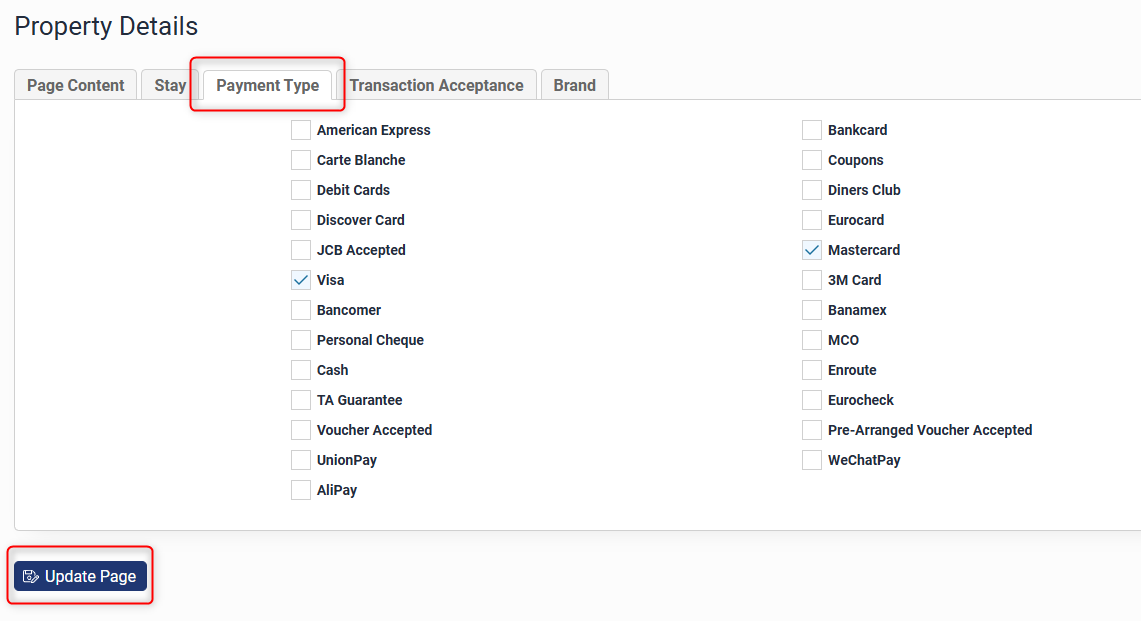
If a certain card type does not appear in this section, you will need to add additional credit cards to be accepted for payment at your property.
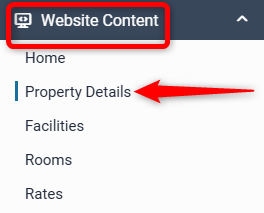
To do this you go to Website Content > Property Details (different sites may have this section named differently)
Go to the Payment Type tab and select the card methods that will be accepted for payment at your property and click Update Now.
The surcharge will also appear in your Booking Information under Sundries:

Please contact Support@Levart.com.au if you have any questions regarding the Credit Card Surcharge function.