Contact
Site Information - Contact
Overview
The Contact Section of your website allows properties to enter further information for their guests to contact the property.
Page Setup
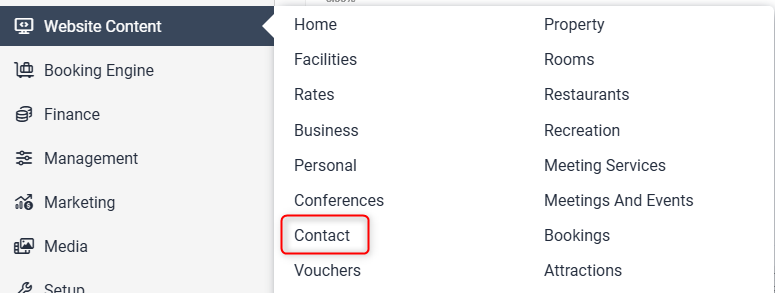
Go to Website Content > Contact
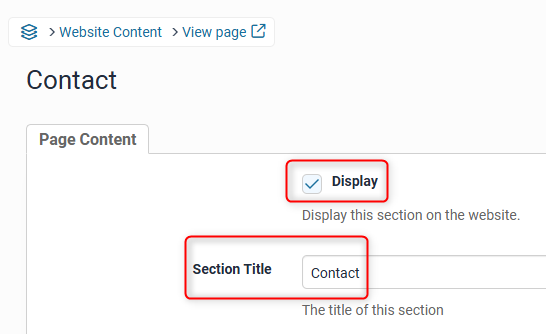
Tick the Display box to ensure the page is visible on the live website.
The Section Title allows you to change the title of the page. This will also be the name displayed on the menu tab.
In the Custom URL textbox, if you wish you can enter text that you would like the URL for this page to be (after the domain), or click AUTO for the system to automatically generate a relevant URL

When you open that page on your live site, the updated URL will appear in the address bar, page links, link hovers and breadcrumbs.
Both the original Levart link and the saved Custom URL will direct guests to that page, so existing links to that page will remain.
Complete the ‘Contact Description’ field with the relevant information.

Header Slideshow
The Header Slideshow are the large image/s that display at the top of your website.
Use the dropdown to:
- Select an already created gallery
- Create a new gallery
- Apply a single media file
- Use the default gallery (what is assigned to the Home page)
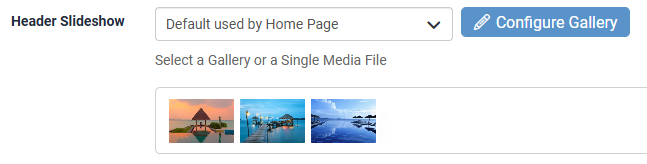
A gallery needs to be created for multiple images. If you only require one image in the header, select "Single Media File"
Ensure you select Update Page to save your changes.
Upload a document by clicking Add a new Document.
If you would like to add a contact form, please email support@levart.com.au with:
- The form fields you would like
- The email address to send the form submissions to