User Access
Overview
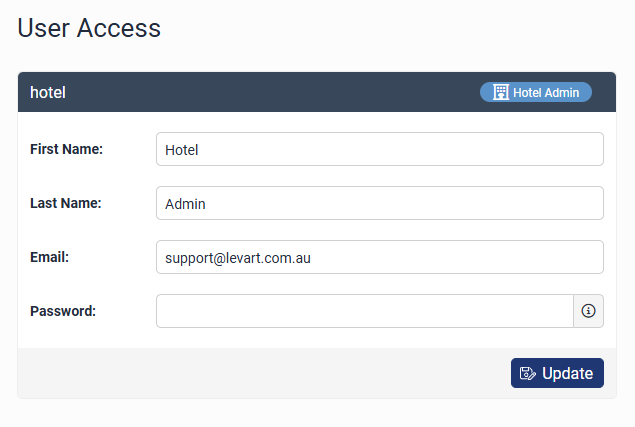
The User Access page is for Levart staff to create and edit accounts that have access to Levart Admin sites. Levart strongly recommends that each staff member be given their own personalised login for the security of the system.
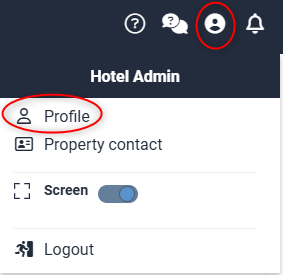
To change a User Account password, click on the Profile icon and then click on Profile:
User Roles
Hotel Administrator
Hotel Administrator access allows users to view and edit ALL pages of the Levart Admin site - including Booking Control, Channel Control, Rates, Rooms, Website Content, Finance, Media (upload images to the Gallery), and the Calendar (inventory).
Room Administrator
Room Administrator access allows users to view and edit inventory in the Calendar only. Only the Inventory Control section of the Calendar is visible.
Calendar Edit Inventory & Read Rates
Allows users to view and edit inventory in the Calendar only. The Rate Control section of the Calendar is also visible, however changes will not be saved.
Calendar Read Access Only
Allows users to view the Calendar only. The Inventory Control and Rate Control section are both visible, however changes will not be saved.
Delete An Existing User
Only current staff should have access to your Levart Admin site. If a staff member is no longer working at your property, please contact support@levart.com.au with the following login details: Username (if known), staff member first and last name, and email address. Levart Support staff will delete the login for you to prevent that user from accessing your Levart Admin site.