Why Book Direct
Overview
The Why Book Direct widget is an interactive tool that showcases that the best rates are on the website for the property. By offering an OTA price comparison and highlighting the discounted website rate, the widget is designed to grow direct bookings and build up the email marketing database for the property.
There are 2 design options:
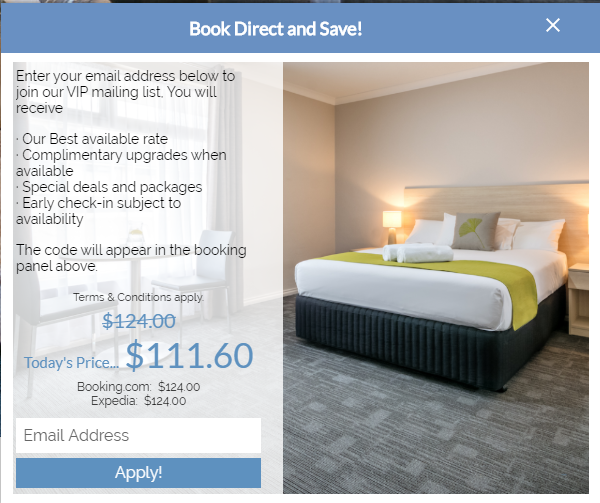
Deluxe (includes image and larger text area)
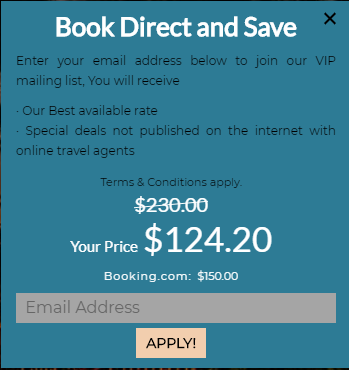
Flat (no image, less text and 1 main background colour)
How to setup
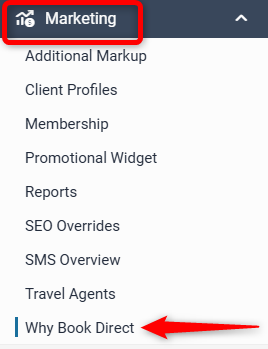
To access the Why Book Direct widget go to Marketing → Why Book Direct:
General
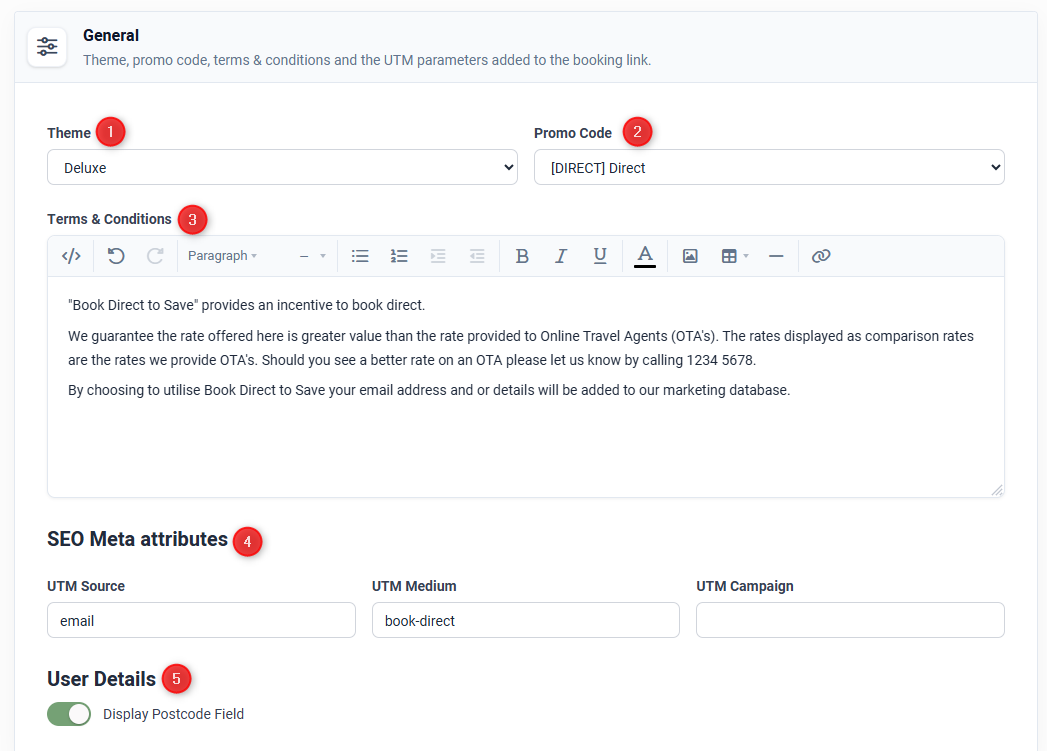
- Select a Theme using the drop down menu (Deluxe or Flat)
- Assign a Promo Code using the drop-down menu (must be set up first under Marketing → Client Profiles)
- Add Terms & Conditions using the content box provided
- SEO Meta Attributes - Add UTM tracking (optional - only if sending promo code via email)
- Display postcode field - if enabled the widget will capture user's postcode
Channels
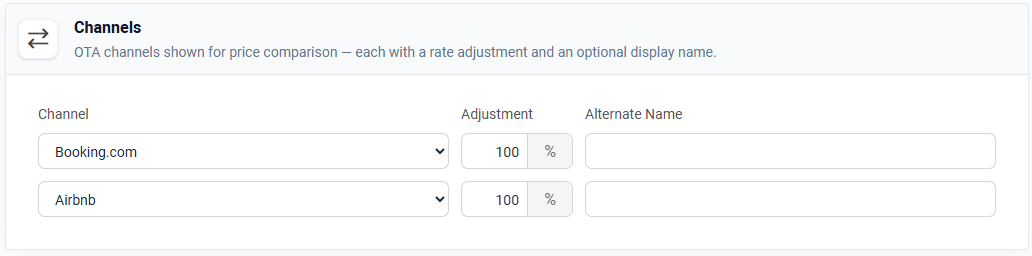
Select Two (2) comparison channels from the drop down menus to compare to the website rates under Channel. The standard Adjustment is 100%, however if there are periods where an OTA is running a special discount, then an adjustment can be applied to reflect the regular OTA pricing. The Alternate Name field allows the property to customise the OTA name as it appears in the widget:
Colours
Deluxe Theme
In the Display tab, colours, image layout, widget alignment and pop-up text can all be edited.
Colours
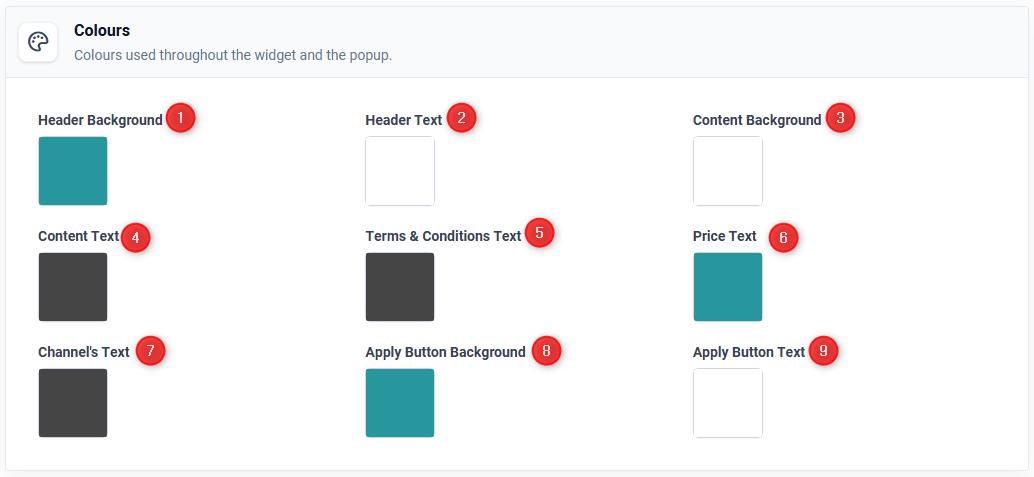
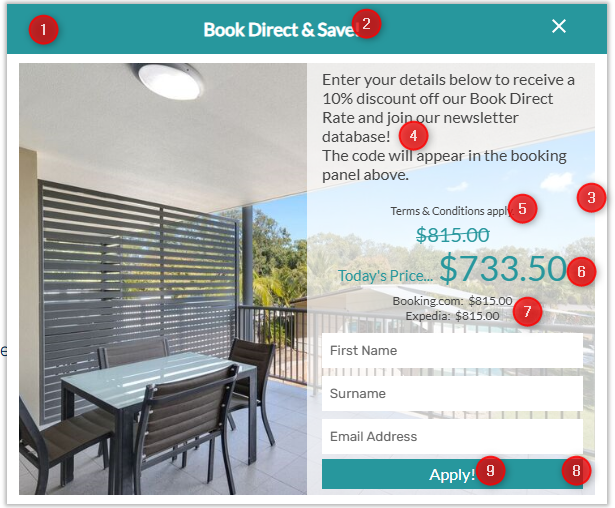
At the top are the colour fields which control the following colours in the widget:
Layout
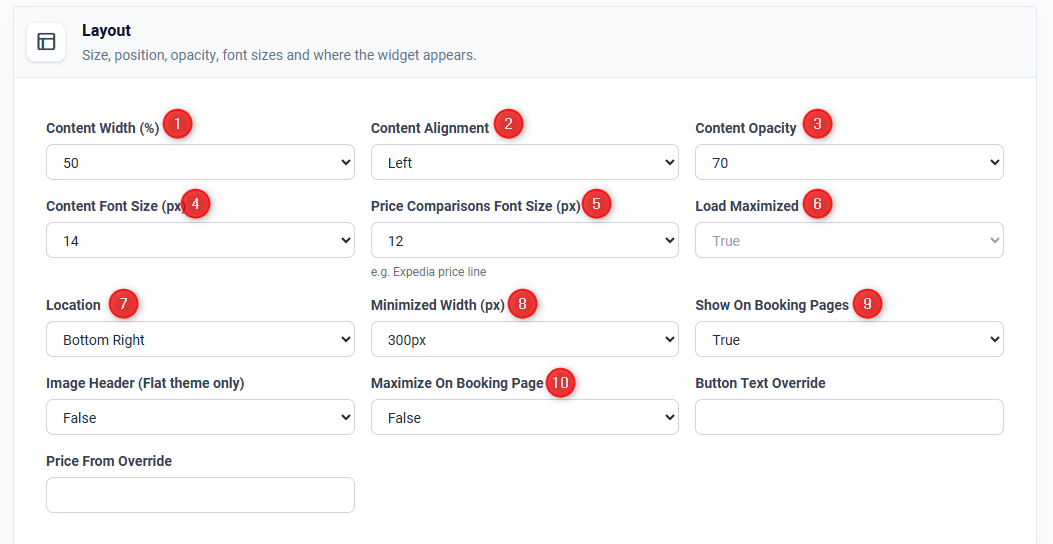
1) The ratio of content width to image width.
2) Alignment of the content to the left or right.
3) How the content overlays the image can be changed to suit preferences.
4) and 5) Font size can be adjusted.
6) Load maximization gives the option to pre-load the Widget to display in full on the home page (False) or keep it minimised until clicked on (True).
7) and 8) and 9) controls the location and look of the Widget.
10) As per 6) for the Booking Page.
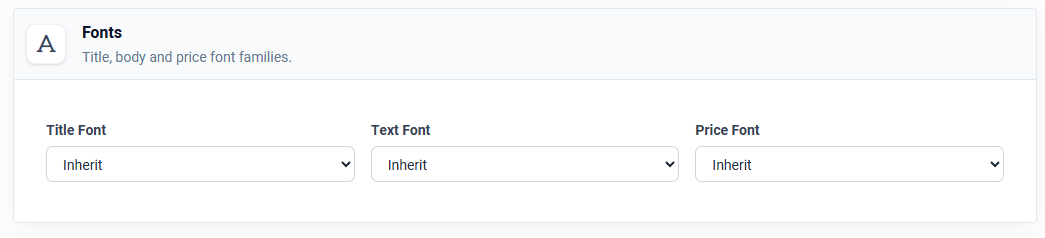
Fonts
Select the fonts for title, body and price text.
Custom fonts can be used via Google Fonts
Popup
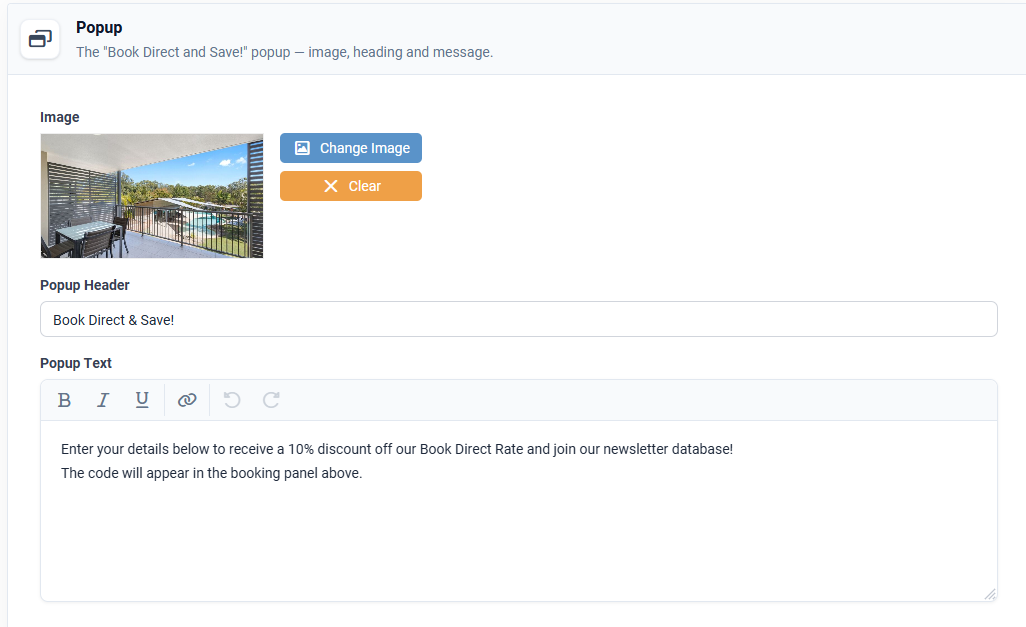
The main content of the Widget is applied in the Popup Text section. The title is the Popup Header and the Image can be uploaded from the Media Gallery by clicking on Change Image:
Note: it can take one hour to see the changes on the website.
One of the great strengths of the Widget is its ability to build a marketing database.
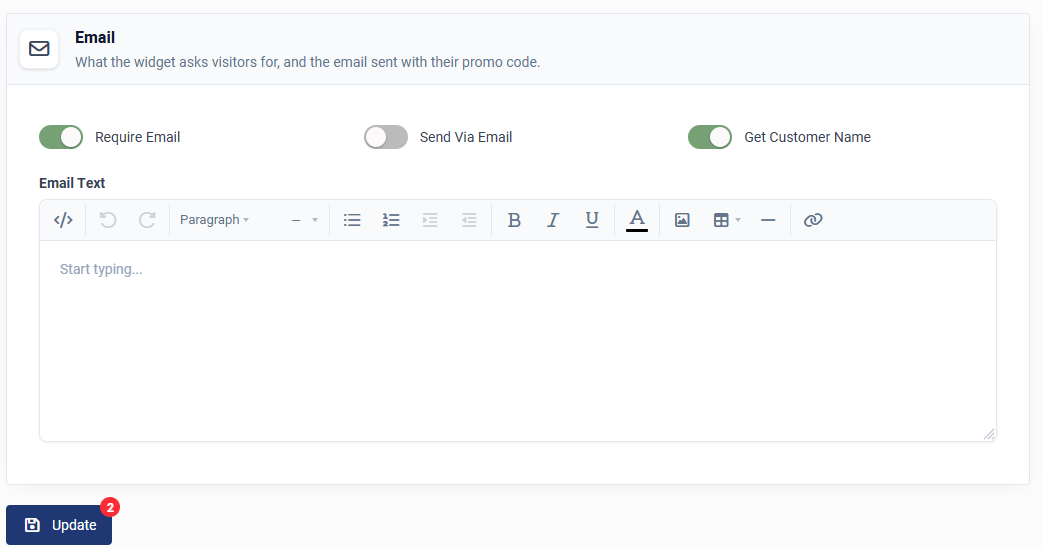
By requiring an email address, it ensures that guests need to submit their email to gain access to discounted rates. Example setup below:
As an alternative option, you can choose to send access to the special rates via email. If this option is selected text will need to be provided to make up the body of the email which will be sent to the guest at the time they enter their email address.
You can also select to get the customer name through the widget as well, which will add to the marketing database with the email address.
Functionality of the Widget
The Widget is linked to the booking panel, so the price that displays on the Widget will reflect the dates in the booking panel. By default, when your website is first opened it will display Today's Price (for today's date).
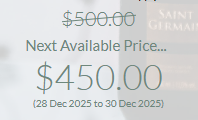
If all of today's rooms are sold out, the widget will display the Next Available Price instead:
If unsure about anything, please contact the Client Success Team on support@levart.com.au